
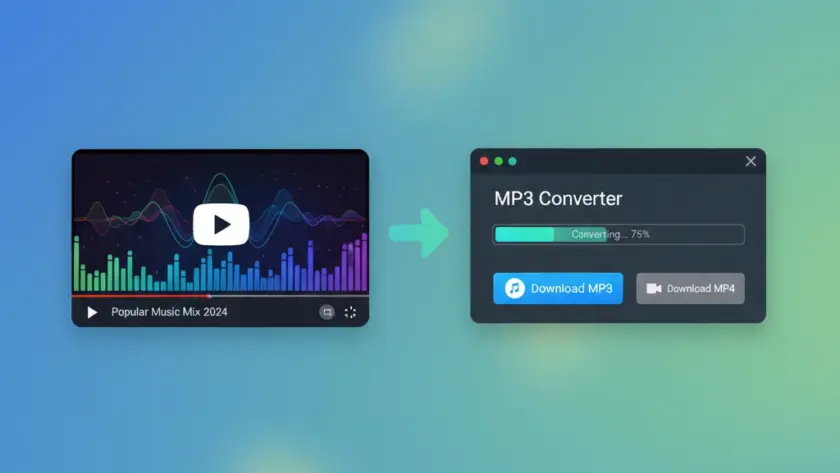
Understanding YouTube to MP3 Conversion
Converting YouTube videos to MP3 audio files has become increasingly popular among users who want to enjoy their favorite music, podcasts, or educational content offline. A free YouTube to MP3 tool allows you to extract audio tracks from YouTube videos and save them as downloadable MP3 files on your device.
The process works by accessing the video’s audio stream and converting it into a compressed audio format. Modern converters can maintain high audio quality while reducing file size, making it convenient for storage and playback across various devices.
However, not all conversion tools are created equal. Some offer superior audio quality, faster processing speeds, and better security features than others.
TL;DR: Key Takeaways
- Free YouTube to MP3 converters extract audio from videos for offline listening
- Quality varies significantly between different tools and conversion methods
- Legal considerations depend on copyright status and intended use of content
- Safety features like malware protection are crucial when choosing a converter
- Audio quality is typically limited by the original video’s audio bitrate
How YouTube to MP3 Conversion Actually Works
YouTube stores video content in various formats and quality levels, each containing both video and audio streams. When you use a YouTube to MP3 converter, the tool performs several technical steps behind the scenes.
First, the converter accesses the YouTube video URL and retrieves the available audio streams. YouTube typically offers audio in multiple bitrates, ranging from 128 kbps to 320 kbps for premium content. The converter then extracts the highest quality audio stream available.
Next, the audio data undergoes transcoding if necessary. Since YouTube primarily uses AAC audio encoding, many converters need to transcode this to MP3 format. This process can affect final audio quality, especially if the original audio bitrate is lower than the target MP3 bitrate.
The conversion speed depends on several factors: the video length, your internet connection, the converter’s server capacity, and the complexity of the audio processing algorithms used.
Technical Limitations and Quality Factors
Understanding technical limitations helps set realistic expectations for audio quality. YouTube compresses audio during upload, which means the maximum quality available is already limited by YouTube’s processing.
Most free converters output MP3 files at 128-192 kbps, which provides decent quality for casual listening. However, the actual quality depends on the source material’s original bitrate and the conversion process efficiency.
Top Free YouTube to MP3 Tools Comparison
The market offers numerous free conversion tools, each with distinct advantages and limitations. We’ve evaluated the most popular options based on conversion speed, audio quality, safety features, and user experience.
| Tool Type | Conversion Speed | Max Audio Quality | Safety Rating | Device Compatibility |
|---|---|---|---|---|
| Online Converters | 2-5 minutes | 192 kbps | Variable | All browsers |
| Desktop Software | 1-3 minutes | 320 kbps | High | Windows/Mac/Linux |
| Browser Extensions | 30 seconds – 2 minutes | 256 kbps | Medium | Chrome/Firefox |
| Mobile Apps | 1-4 minutes | 192 kbps | Variable | iOS/Android |
Online Web-Based Converters
Web-based converters offer the convenience of no software installation. Popular platforms like Y2mate, OnlineVideoConverter, and Convert2MP3 process millions of conversions daily. These tools work directly in your browser and typically support multiple output formats beyond MP3.
The main advantage is accessibility—you can use them from any device with internet access. However, they often display advertisements and may have file size limitations. Processing speeds vary significantly based on server load and your internet connection quality.
Desktop Software Solutions
Desktop applications generally provide more features and better performance than online alternatives. Programs like 4K Video Downloader, Freemake Video Converter, and ClipGrab offer batch conversion capabilities and higher quality output options.
These applications typically include additional features like playlist downloading, subtitle extraction, and format conversion between different audio types. They also work offline once installed, providing more privacy and security for your downloads.
Legal Considerations and Copyright Awareness
Before using any free YouTube to MP3 tool, understanding the legal implications is essential. Copyright law varies by jurisdiction, but several universal principles apply to YouTube content conversion.
YouTube’s Terms of Service explicitly prohibit downloading content unless a download button is provided by YouTube itself. However, the legal reality is more nuanced and depends on factors like copyright ownership, fair use provisions, and your intended use of the downloaded content.
What’s Generally Considered Legal
Converting content that you own or have explicit permission to download is typically legal. This includes:
- Your own uploaded videos and audio content
- Public domain content with no copyright restrictions
- Content explicitly licensed for download and sharing
- Educational or research use under fair use provisions (jurisdiction-dependent)
Creative Commons licensed content often allows downloading and conversion, but you should verify the specific license terms before proceeding.
Potential Copyright Violations
Converting copyrighted music, movies, or other protected content without permission may violate copyright law. Record labels, movie studios, and content creators actively protect their intellectual property rights.
Commercial use of converted content almost always requires proper licensing, regardless of whether the conversion tool is free. Personal use exists in a legal gray area that varies significantly between countries and legal jurisdictions.
Safety and Security Best Practices
Using free YouTube to MP3 tools safely requires understanding common security risks and implementing protective measures. Many free converters rely on advertising revenue, which can expose users to malicious ads, unwanted software installations, and privacy concerns.
Malware distribution through fake converter websites represents a significant threat. Cybercriminals create convincing replicas of legitimate conversion sites to distribute trojans, adware, and cryptocurrency mining software.
Identifying Safe Conversion Tools
Legitimate converters typically display several trustworthiness indicators. Look for HTTPS encryption (the padlock icon in your browser), clear privacy policies, and contact information. Avoid converters that require software downloads or ask for personal information beyond what’s necessary for the conversion process.
Reading user reviews and checking security ratings from reputable sources helps identify reliable tools. Website age and domain authority also provide useful indicators of legitimacy and stability.
Protective Measures While Converting
Using ad blockers significantly reduces exposure to malicious advertisements. Browser extensions like uBlock Origin or AdBlock Plus prevent most unwanted popups and redirect attempts common on free converter sites.
Consider using a VPN service for additional privacy protection, especially when converting content that might be copyrighted. This adds an extra layer of anonymity and can help bypass regional restrictions on certain conversion tools.
Always scan downloaded files with updated antivirus software before opening them. Some malicious converters embed malware directly into the output MP3 files or bundle unwanted software with legitimate downloads.
Audio Quality Optimization Techniques
Maximizing audio quality from YouTube conversions requires understanding both the source limitations and converter capabilities. YouTube’s audio compression affects all downstream conversions, but certain techniques can help preserve the best possible quality.
Source video selection significantly impacts final audio quality. Music videos uploaded by official channels typically offer higher audio bitrates than user-generated content. Look for videos marked as “Official Audio” or “Official Video” for the best source material.
Bitrate Selection and Format Considerations
Most free converters offer bitrate selection options ranging from 128 kbps to 320 kbps. However, choosing a higher output bitrate doesn’t improve quality if the source audio is already compressed to a lower bitrate.
Understanding YouTube’s audio processing helps set realistic expectations. Standard YouTube videos typically contain audio at 128-192 kbps AAC encoding. YouTube Music and premium content may offer higher quality streams, but access often requires subscription services.
| Source Quality | Recommended Output | File Size (4-minute song) | Quality Description |
|---|---|---|---|
| YouTube Standard | 192 kbps MP3 | ~5.8 MB | Good for casual listening |
| YouTube Music | 256 kbps MP3 | ~7.7 MB | High quality for most users |
| Premium Content | 320 kbps MP3 | ~9.6 MB | Maximum MP3 quality |
Alternative Audio Formats
While MP3 remains the most popular format due to universal compatibility, other formats may offer better quality-to-size ratios. AAC provides superior compression efficiency, while FLAC offers lossless quality for audiophiles willing to accept larger file sizes.
Some advanced converters support these alternative formats, allowing you to choose based on your specific needs. Consider your playback devices and storage limitations when selecting output formats.
Troubleshooting Common Conversion Issues
Users frequently encounter various problems when converting YouTube videos to MP3 format. Understanding common issues and their solutions can save time and frustration during the conversion process.
Conversion failures often result from video availability restrictions, age restrictions, or copyright protection measures. Some content creators and labels actively block conversion attempts through technical means or legal takedown requests.
Video Access and Availability Problems
“Video not available” errors typically indicate regional restrictions, privacy settings, or content removal. Try accessing the video directly in YouTube to verify availability. Private or unlisted videos cannot be converted unless you have direct access permissions.
Age-restricted content may require account verification before conversion tools can access the video streams. Some converters bypass these restrictions, while others maintain strict compliance with YouTube’s access controls.
Quality and Performance Issues
Slow conversion speeds often indicate server overload or network connectivity problems. Try converting during off-peak hours or switching to alternative converter services for better performance.
Poor audio quality results from multiple factors: low-quality source material, inappropriate bitrate selection, or converter processing limitations. Experiment with different tools and settings to find the optimal configuration for your needs.
File corruption occasionally occurs during the download process. Always verify that downloaded files play correctly before deleting the source or moving files to permanent storage locations.
Advanced Features and Batch Processing
Power users often require more sophisticated conversion capabilities beyond simple single-video processing. Advanced free YouTube to MP3 tools offer features like playlist conversion, batch processing, and automated quality selection.
Playlist conversion allows downloading entire YouTube playlists or channel uploads with minimal manual intervention. This feature is particularly valuable for podcast listeners, music collectors, and educational content consumers.
Automation and Scheduling Options
Some desktop converters include scheduling functionality, allowing conversions to run during specific time periods. This helps manage bandwidth usage and avoid peak network congestion periods.
RSS feed monitoring represents another advanced feature, automatically converting new uploads from subscribed channels. This creates a workflow similar to podcast subscriptions but for any YouTube content creator.
Integration with Media Management
Advanced tools often integrate with popular media management software like iTunes, Windows Media Player, or dedicated music library applications. Automatic metadata tagging saves time organizing large conversion batches.
Some converters extract and embed album artwork, artist information, and track titles automatically from YouTube video metadata. This reduces manual organization work for music collections.
People Also Ask
Is it legal to convert YouTube videos to MP3?
Legal status depends on copyright ownership and intended use. Converting your own content or public domain material is generally legal, while copyrighted content may violate terms of service and copyright law.
Why do some YouTube videos fail to convert?
Conversion failures typically result from copyright protection, regional restrictions, privacy settings, or technical limitations. Age-restricted content and premium music videos often have additional access controls.
What’s the maximum audio quality possible from YouTube conversions?
YouTube’s audio compression limits maximum quality to approximately 192-256 kbps AAC, regardless of converter output settings. Higher bitrate outputs don’t improve quality beyond the source material limitations.
Are online YouTube converters safe to use?
Safety varies significantly between services. Legitimate converters with HTTPS encryption and clear privacy policies are generally safe, but many free services display aggressive advertising and potential malware risks.
Can I convert entire YouTube playlists at once?
Many advanced converters support playlist conversion, though this feature is more common in desktop software than online tools. Processing times increase significantly with playlist length.
Future of YouTube Audio Conversion
The landscape of YouTube to MP3 conversion continues evolving as streaming services, copyright enforcement, and user preferences change. Understanding these trends helps predict future tool availability and functionality.
Streaming music services like Spotify, Apple Music, and YouTube Music have reduced demand for conversion tools among casual users. However, specific use cases like offline access in remote areas, content archival, and educational applications maintain conversion tool relevance.
Enhanced copyright protection measures and automated content identification systems make conversion increasingly difficult for mainstream copyrighted content. This trend pushes conversion tools toward serving niche applications and specialized content types.
The rise of podcast consumption has created new conversion use cases, as users seek to download talk shows, interviews, and educational content for offline listening. This represents a growing market segment for conversion tool developers.
Artificial intelligence integration in future converters may offer automatic audio enhancement, noise reduction, and quality optimization beyond current capabilities. Machine learning algorithms could potentially improve conversion quality and processing efficiency.
As internet connectivity improves globally, the necessity for offline content consumption may decrease. However, data cost considerations in many regions ensure continued demand for conversion tools that reduce streaming expenses.